Handling Kinematic Loops
Some robots have kinematic loops, meaning that the kinematic chain is not a tree but a graph. Here is an example:
Introduction
Here is a 2D planar robot with kinematic loop, we assume the two first joints to be actuated and the others to be passive:
Here, the two branches are connected together, thus this can’t be represented as a tree. URDF doesn’t allow to directly represent this type of structure. We need to break it down in a tree, and enforce the closing constraints in software during execution. To enforce the constraints, frames can be placed at relevant positions, here is an example for the above robot:
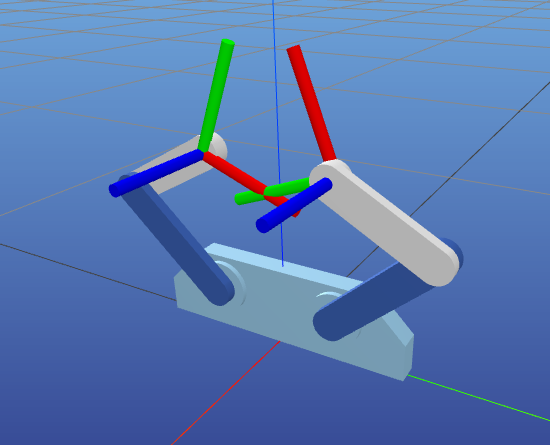
Using Onshape URDF Exporter
The above mentioned example can be achieved by adding frames. However, this would require to manually place two frames at each closing position. Onshape URDF Exporter comes with a more convenient way to achieve this, by using mate connectors.
If you add a relation with closing_something as name, two frames will be added to your URDF
(closing_something_1 and closing_something_2) that will be attached to the two parts mated.
This way, the closure is handled in Onshape exactly the way it should appear in the final mechanism, and will result in the two frames being placed at the correct position in the URDF.
Here is the complete Onshape assembly for the above example robot.
Handling constraints on execution time
Here are some resources on how to handle kinematic loops in software:
In MuJoCo, you can add an equality constraint in your XML model.
In pyBullet, you can use createConstraint method to add the relevant constraint.
In the PlaCo solver, you can create a
RelativePositionTask. See the kinematics loop documentation section for more details.